Classic Collection
You can add multiple sort types like "Featured", "Lowest Priced", and "Newest First".
For Plain Jane Starter, Plain Jane, and Plain Jane Interactive
What You’ll Learn
- How to enable and configure the Classic Collection section on your Collection page
- How to use built-in product sorting
- How to adjust styling and labels
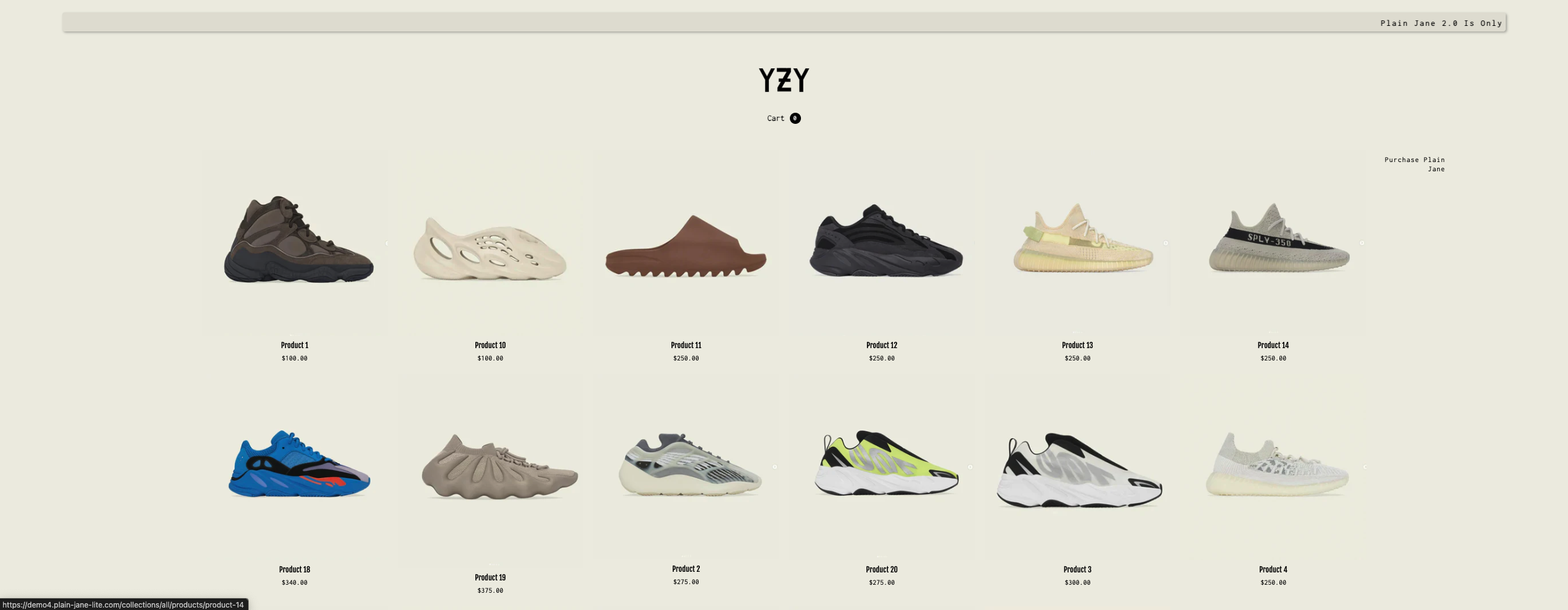
1. Add the Classic Collection Section
- In the Shopify admin, navigate to Online Store > Themes.
- Click Customize on the active theme.
- From the Collection page template, add the Classic Collection section.
💡 Tip: This section supports sorting, product labels (preorder, on sale, out of stock), and detailed display settings.
2. Add and Configure Sorting Options
You can add multiple sort types like "Featured", "Lowest Priced", and "Newest First".
Steps:
- Inside the Classic Collection section settings, add new Sort Option blocks.
- For each one:
- Set the Option Title (what your users will see)
- Choose the Sort By method (e.g. Featured, Price, Date)
3. Style the Collection Layout
The Classic Collection section provides many options for layout and typography:
Cart & Header Settings:
- Toggle date/time
- Set cart icon colors
Collection Menu:
- Menu position and alignment
- Link spacing and font size
- Menu colors (hover, submenu, etc.)
![Placeholder for Screenshot - Collection menu styling]
Product Titles & Prices:
- Font size and colors
- Compare price styling
- Currency format toggle
4. Label Controls
Show or hide product labels and change their appearance:
- Pre-Order
- On Sale
- Out Of Stock
You can adjust label background, text colors, and font sizes.
5. Background & Icons
Control the visual appearance of the section:
- Product background colors and border radius
- Search and sort icon colors and placement
6. Pagination Settings
Choose between infinite scroll or pagination and style the navigation elements:
- Set active page colors
- Customize arrow icons and fonts
Need Help?
- 💬 Join our community on Discord: https://discord.gg/hcc2GvgZc6
- 📧 Email us at: support@openspaces.design
- 💻 Live chat with us: Available Monday–Friday, 10AM–6PM EST, directly on our website