Collection Display Section
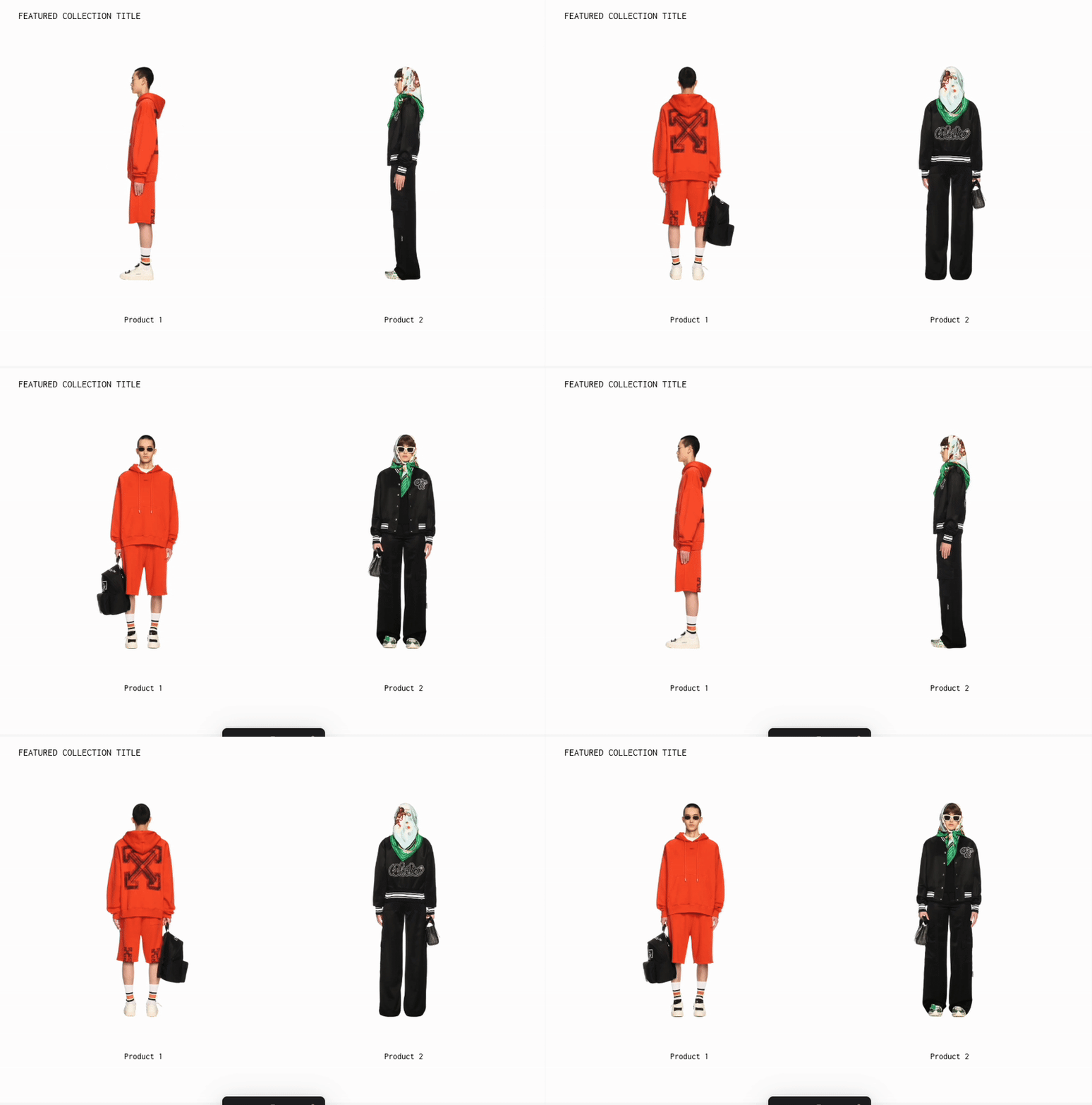
The Collection Display Section in the Plain Jane and Interactive themes allows you to highlight products from any Shopify collection.
What You’ll Learn
- How to feature products from a collection
- Customize layout, typography, spacing, and product hover styles
- Use the Auto Cycle feature to rotate product images automatically
Overview
The Collection Display Section in the Plain Jane and Interactive themes allows you to highlight products from any Shopify collection. It’s a minimalist, image-first layout, great for showcasing lookbooks or featured drops.
This section supports:
- Title display
- Flexible grid layouts (1–6 products per row on desktop, 1–3 on mobile)
- Custom spacing and hover effects
- Auto-rotating product images using the Auto Cycle feature
💡 Tip: This section is visually distinct from the Collection List Section, which displays multiple collections. Here, you’re featuring products from a single collection.
How to Use
- In the Theme Editor, click Add Section → Collection Display.
- Under Content & Data:
- Choose a Collection from your Shopify store.
- Add a Section Title (optional).
- In the Layout & Display panel:
- Adjust Text Alignment (Left, Center, Right).
- Toggle whether to show Titles, Prices, Compare-at Price, and product status tags like Sold Out, Pre-Order, or Sale.
- Set Products per Row for both desktop and mobile.
Auto Cycle Feature
🎯 Purpose: Enhance visual engagement by rotating through product images automatically.
When you enable Auto Cycle under Image Hover Effect, your product images will transition through multiple angles or styles (if uploaded to the product in Shopify).
How to Enable It
- Scroll to Image Hover Effect.
- Select:
Auto Cycle Through All Images- Or limit the number using the Misc dropdown:
Loop through all images,Limit to first 2, etc.
- Adjust Image Transition Duration (default: 550ms).
💡 Tip: For best results, ensure your products have multiple images in Shopify. This feature won’t activate for products with only one image.
Typography
You can adjust font sizes for:
- Section Title
- Product Title
- Product Price
Controls are available separately for desktop and mobile.
Colors
Customize:
- Background Color
- Section Title Color
- Product Title Color
Spacing
Includes granular controls for:
- Top & bottom padding (desktop and mobile)
- Space between section title and products
- Space between product image, title, and price
- Gaps between products and rows
View All Button
You can add a CTA linking to the full collection:
- Customize Button Background Color
- Customize Button Text Color
Need Help?
- 💬 Join our community on Discord: https://discord.gg/hcc2GvgZc6
- 📧 Email us at: support@openspaces.design
- 💻 Live chat with us: Available Monday–Friday, 10AM–6PM EST, directly on our website