Collections: Tiles
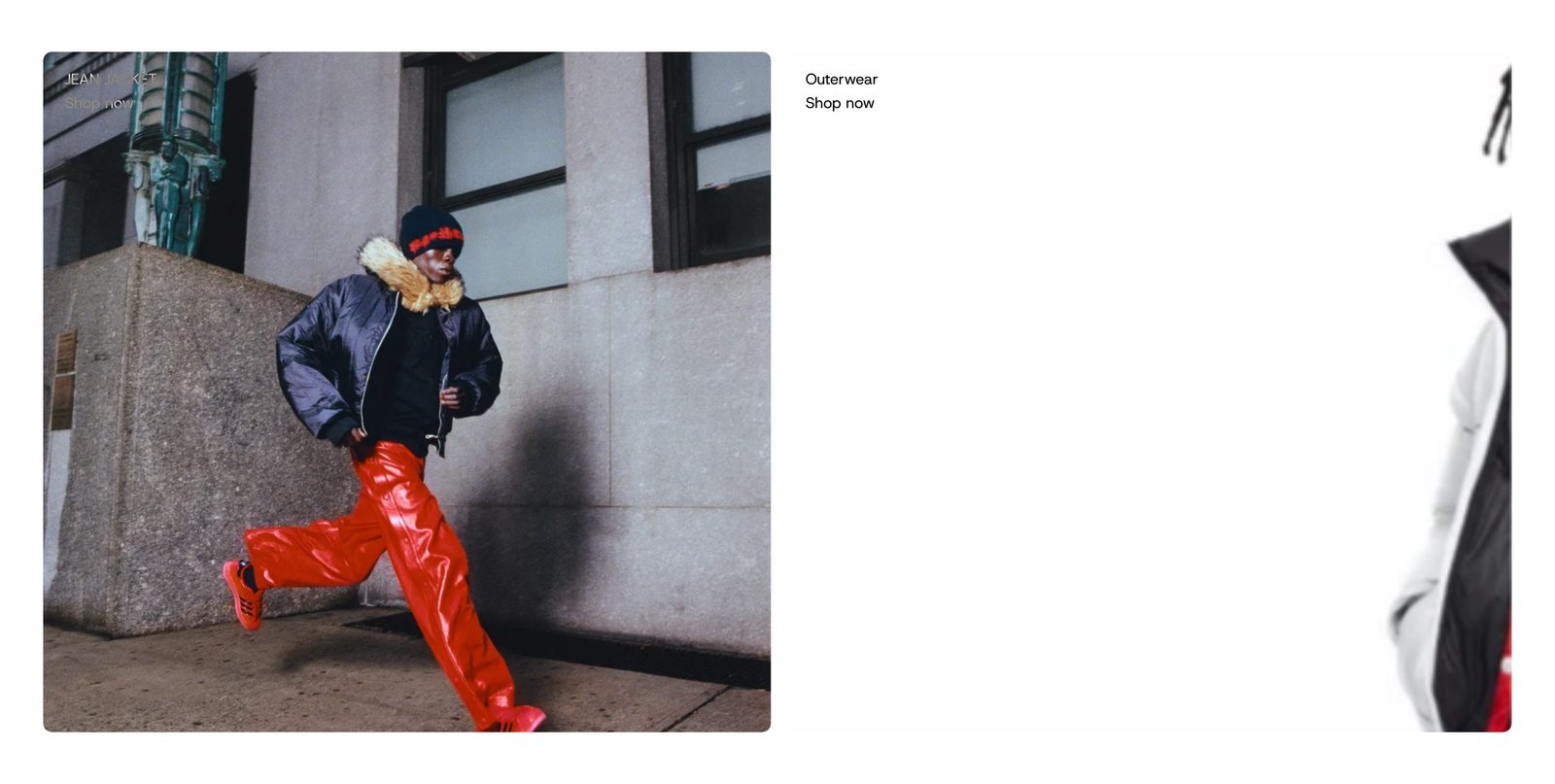
Large collection pictures or videos side by side, with the collection's name and "Shop now" laid over a corner of each.
Large tiles, one per collection, each a picture or a silent looping video with words over one corner: the collection's name and "Shop now". The whole tile opens the collection. As the page scrolls, each picture drifts a little slower than the page, for a sense of depth.
Choose it for two to four collections you want to show big, near the top of the home page. For many collections in a smaller strip, use Collections: Row.
Add it
It can go on any page. Find Collections: Tiles under Collections in "Add section". Plain Jane puts one on the home page of a new store.
As first added it has two tiles side by side, each with grey sample art and "Shop now" in the top-left corner. Pick a collection for each tile to bring in its picture, its name and its link.
What you need
- A collection for each tile, with a picture set in Shopify admin. Or choose a picture or video for the tile itself.
- Pictures with a calm corner where the words sit. The words turn light or dark to stay readable over the picture.
- Portrait pictures suit the default shape. Each tile needs to look right cropped, unless you choose Show whole image.
Settings
| Setting | What it changes | Options |
|---|---|---|
| Color scheme | The background behind the tiles and around pictures that do not fill them. See shared settings. | Default: Scheme 1. |
| Maximum tile height | On wide screens tiles stop getting taller at this height and grow wider instead. | Small, Medium, Large. Default: Medium. |
| Space above, Space below | Empty space at the top and bottom. See shared settings. The Custom slider goes up to 120 px. | Default: Small. |
Tiles
| Setting | What it changes | Options |
|---|---|---|
| Image shape | The shape of every tile, until it reaches the maximum height. | Portrait, Square, Landscape. Default: Portrait. |
| Image fit | Fill the frame crops the edges of the picture so it covers the whole tile. Show whole image fits all of it inside. Videos always fill the tile. | Show whole image, Fill the frame. Default: Fill the frame. |
| Space between tiles | The gap between tiles. | Small, Medium, Large. Default: Medium. |
| Corners | How round the tiles' corners are. See shared settings. | None, Slight, Round. Default: Slight. |
| Parallax on scroll | Each picture moves a little slower than the page as shoppers scroll. Hidden when Image fit is Show whole image. | Default: on. |
Blocks
Tile
Add up to 12. Drag them to change the order.
| Setting | What it changes | Options |
|---|---|---|
| Collection | The collection the tile opens, and where its picture and name come from. | Any collection. |
| Image | A picture for this tile. Leave empty to use the collection's image. | Any image. |
| Video | Plays silently on repeat in place of the picture. | Any video. |
| Custom link | Opens this page instead. Leave empty to open the collection. | Any link. |
| Position | Which corner the words sit in. | Top left, Top right, Center, Bottom left, Bottom right. Default: Top left. |
Each tile holds two blocks at first:
- Collection title shows the collection's name and changes by itself when you pick another collection. Its settings: Show (Title, Description), Style, and Stay readable over photos (on here), with Text tone (Adapts to the photo, Light, Dark).
- Caption holds the words "Shop now". It is a Text block with the full Text settings; Stay readable over photos is on here.
You can add Text and other blocks to a tile, or remove these.
On phones
Tiles become a row shoppers swipe, each a little narrower than the screen so the next one peeks in. The arrows are hidden on touch screens.
Tips
- Two tiles share the row on a computer. With three or more, two show whole and the third peeks in from the edge, with arrows to move along. Pick two or four for a tidy row.
- If the words are hard to read over a mid-tone picture, set Text tone on the title and caption to Light or Dark.
Good to know
- A tile without a collection, a picture or a video shows grey sample art, on your store too. Pick a collection for every tile before you publish.
- A tile without a collection or Custom link cannot be clicked.
- Videos play only while the tile is on screen.
- Visitors who ask their device to reduce motion see the pictures still, with no drift.