Custom Liquid
A section that shows whatever your own code makes, such as an embed from another service.
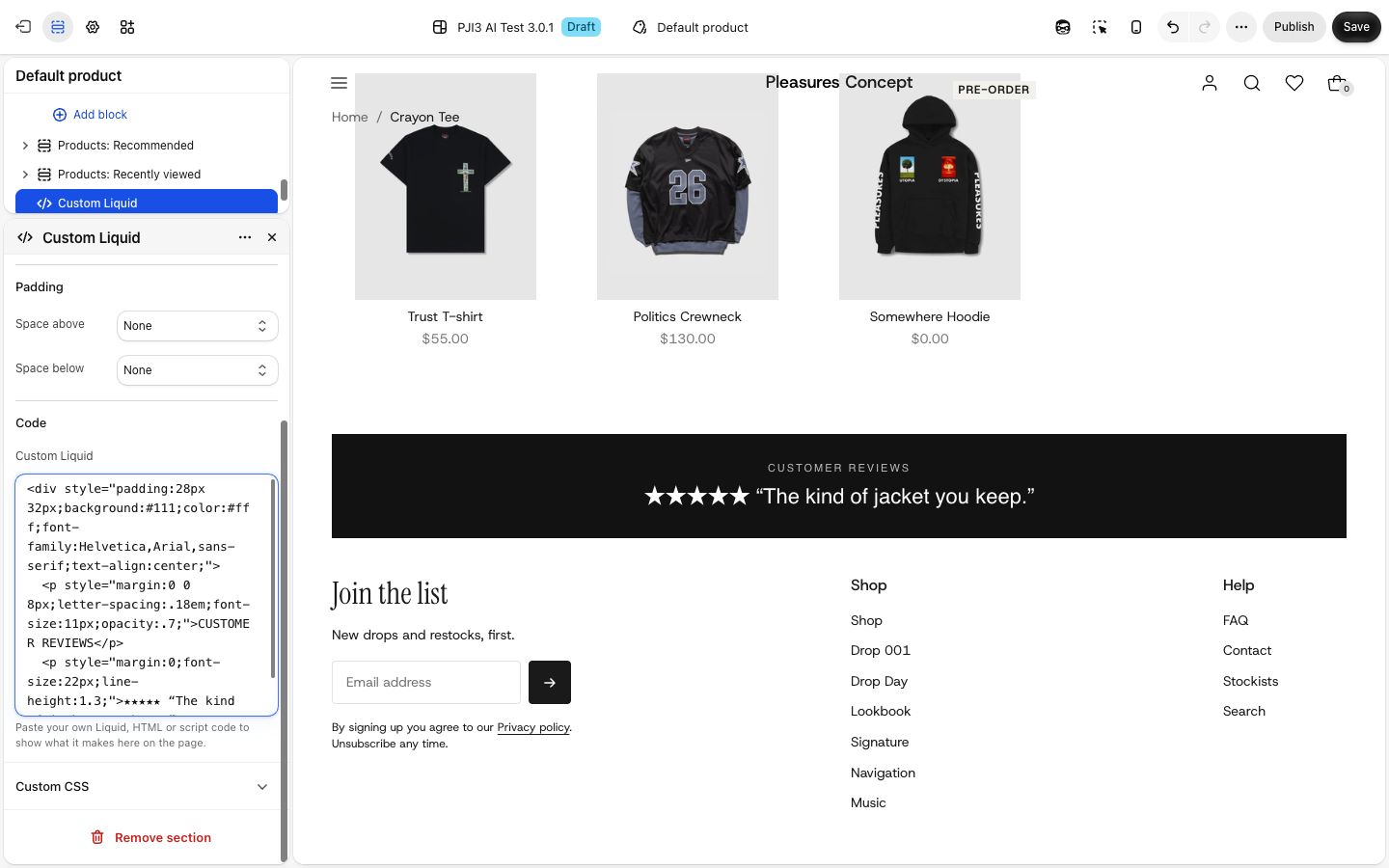
A section with one box for code. Whatever you paste in shows on the page: an embed from a booking, review or form service, a snippet an app's support team gave you, or your own Liquid and HTML. Choose it when nothing else in Plain Jane does the job and you, or someone helping you, has the code.
Add it
It can go on any page, and in your header or footer. Choose "Add section" and look for Custom Liquid under Custom.
As first added the code box is empty. In the editor the section shows a dashed box reading "Add your code in this section's settings." Visitors see nothing at all until you add code.
What you need
- The code. Shopify's Liquid, HTML, CSS in a
<style>tag, or a script. Services that offer an "embed code" or "HTML snippet" give you something you can paste here.
Settings
| Setting | What it changes | Options |
|---|---|---|
| Color scheme | The background and text color around your code. Your code's own colors win where it sets them. See shared settings. | Any of your schemes. Default: Scheme 1. |
| Width | Page width lines your code up with the sections around it, inside the page margin. Full width runs it edge to edge with no space at the sides, for embeds meant to fill the screen. | Page width (default), Full width |
| Space above, Space below | Empty space above and below your code. See shared settings. | As added: None. Custom goes from 0 to 100 px. |
Code
| Setting | What it changes | Options |
|---|---|---|
| Custom Liquid | The code that runs here. | Liquid, HTML or script code. |
On phones
Your code shows as it is written: Plain Jane does not change its layout on a small screen. Check the phone preview, especially for embeds with a fixed width. With Space above or Space below on Custom, any space over 20 px is a quarter smaller on phones.
Tips
- Try the code in the editor before you publish. If it breaks, the section can show nothing or an error message in its place.
- For code inside another section, beside a heading or under a picture, use the Custom Liquid block instead. It does the same job.
- Set Width to Full width for a map or a video embed that should meet the screen edges.
- Keep a copy of the code somewhere else. Removing the section removes the code with it.
Good to know
- Plain Jane cannot check or support what your code does. If an embed looks wrong, ask the service that gave you the code.
- A script that changes the whole page, not just this section, can affect other sections too.
- The section has no blocks. Everything it shows comes from the code box.