Slideshow: Parallax
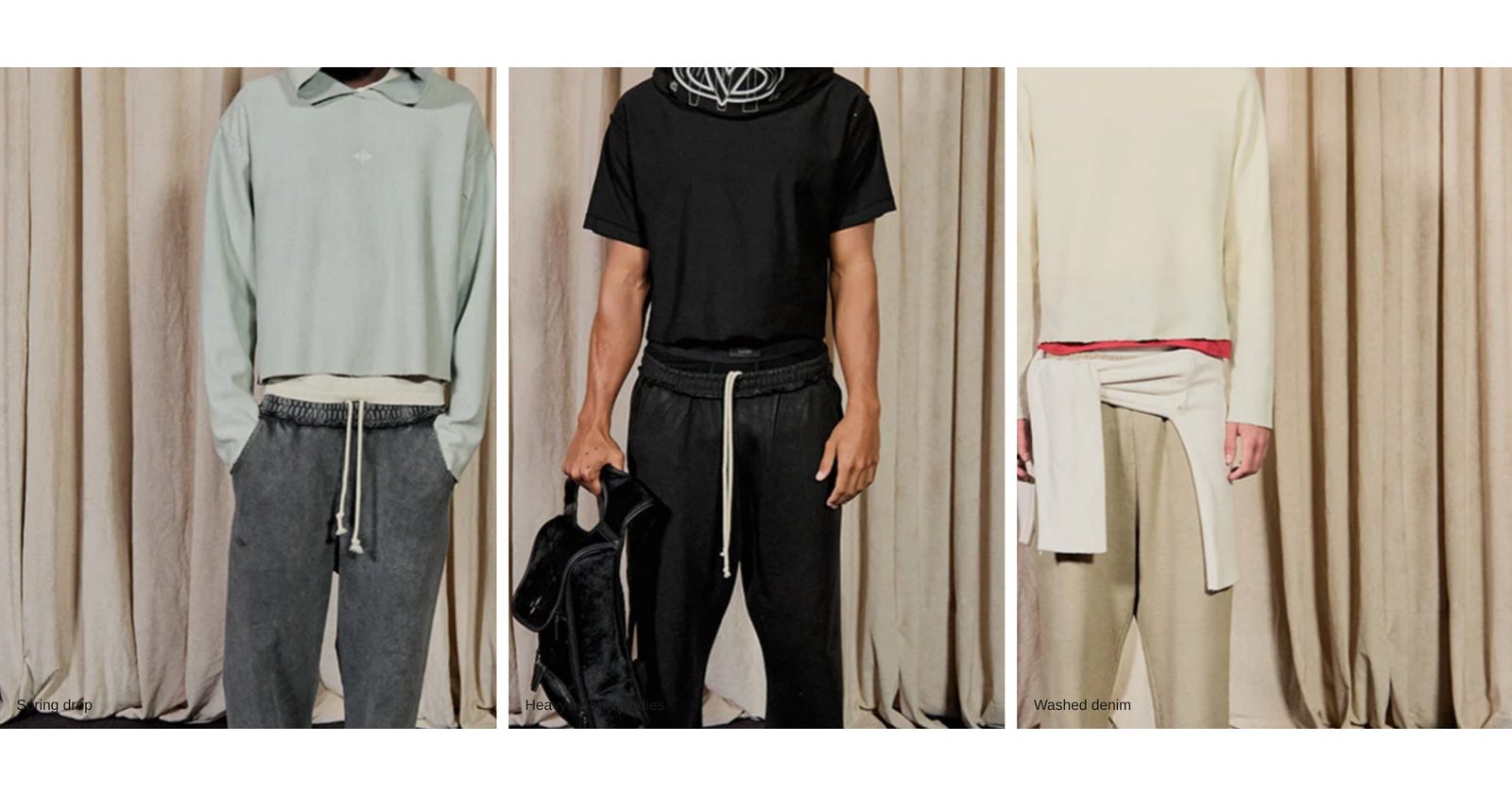
A row of tall pictures and videos slides sideways on its own in an endless loop, each picture shifting inside its frame for a sense of depth.
A row of tall pictures moves sideways across the page by itself and loops without end. As each one passes, the picture slides a little inside its frame, more slowly than the row, which gives the row depth. Slides can be photos or short videos, with a caption and a link.
Choose it for a moving band of campaign pictures between other sections. For a row that moves without the depth effect, see Gallery: Stream.
Add it
It can go on any page except the password page, and not in the header or footer. In "Add section", find Slideshow: Parallax under Slideshows & galleries.
As first added it is Medium height with four placeholder slides captioned "Spring drop", "Heavyweight hoodies", "Washed denim" and "After dark", moving right to left.
What you need
- Four or more pictures. The row repeats them to fill the screen.
- Large pictures. With Parallax intensity on Strong, each picture is enlarged to leave room to slide, so its edges are cropped. Keep the subject near the middle.
- Videos in MP4 format, if you use them. Each plays muted while its slide is on screen.
Settings
Select the section itself to see these.
| Setting | What it changes | Options |
|---|---|---|
| Color scheme | The background between slides, and the captions. See shared settings. | Default: Scheme 1. |
| Height | How tall the row is. The slides' width follows it. | Small, Medium, Large, Full screen. Default: Medium. |
| Hide on mobile | Hides the whole section on phones. | On or off. Default: off. |
| Scroll speed | How fast the row moves. | Slow, Medium, Fast. Default: Medium. |
| Scroll direction | Which way the row moves. | Right to left, Left to right. Default: Right to left. |
| Parallax intensity | How far each picture shifts inside its frame as the row moves. None turns the depth effect off and shows the pictures at their own size. | None, Subtle, Strong. Default: Strong. |
| Space above, Space below | Empty space above and below. See shared settings. | Default here: Medium. |
At Full screen with no space above, the first section on a page runs up behind a header that sits over the page. The other heights always start below the header.
Blocks
Slider track
Always there. It holds the slides and sets their spacing.
| Setting | What it changes | Options |
|---|---|---|
| Gap between slides | The space between slides. | None, Small, Medium, Large, Extra large. Default: Medium. |
| Slide width | How wide each slide is, compared with its height. Small is a narrow portrait, Large a square, Extra large a little wider than tall. Slides never get wider than most of a phone screen. | Small, Medium, Large, Extra large. Default: Medium. |
| Edge fade | Fades the left and right ends of the row into the background. | None, Soft, Strong. Default: None. |
Slide
One picture or video. Add as many as you like inside Slider track.
| Setting | What it changes | Options |
|---|---|---|
| Media type | A picture or a video. | Image, Video. Default: Image. |
| Image | The picture. For a video slide, it is the still shown before the video plays. | |
| Video | The video. Only appears when Media type is Video. | MP4. |
| Loop video | Plays the video again from the start when it ends. Only appears for a video. | On or off. Default: on. |
| Alt text | Describes the slide for screen readers and image search. If empty, the picture's own alt text is used. | Text. |
| Caption | A line of text in a light band along the bottom of the slide. | Text. |
| Link | Where the slide goes when clicked. | Any link. |
| Open in new tab | Opens the link in a new tab. Only appears once Link is filled in. | On or off. Default: off. |
On phones
The row keeps moving the same way. Slides are never wider than most of the screen, so about one shows at a time at the taller heights.
Tips
- Choose Subtle for Parallax intensity if your pictures have important detail near the edges.
- Give every slide a caption, or none, so the row looks even.
- Add a still Image to every video slide. It shows while the video loads and for visitors who prefer less motion.
- A Soft Edge fade looks best with a plain background.
Good to know
- There is no pause button. The row stops while a visitor's mouse is over it, after a tap on a phone (until they tap elsewhere), and while a keyboard visitor is tabbed into it.
- Visitors who have asked their device to reduce motion see a still row they can scroll sideways themselves, with no depth effect.
- The row and its videos stop while the section is off screen.
- A video slide with no video chosen shows its Image instead.
- Scroll speed follows Motion in theme settings: Calm makes the row slower.