Products: Complementary
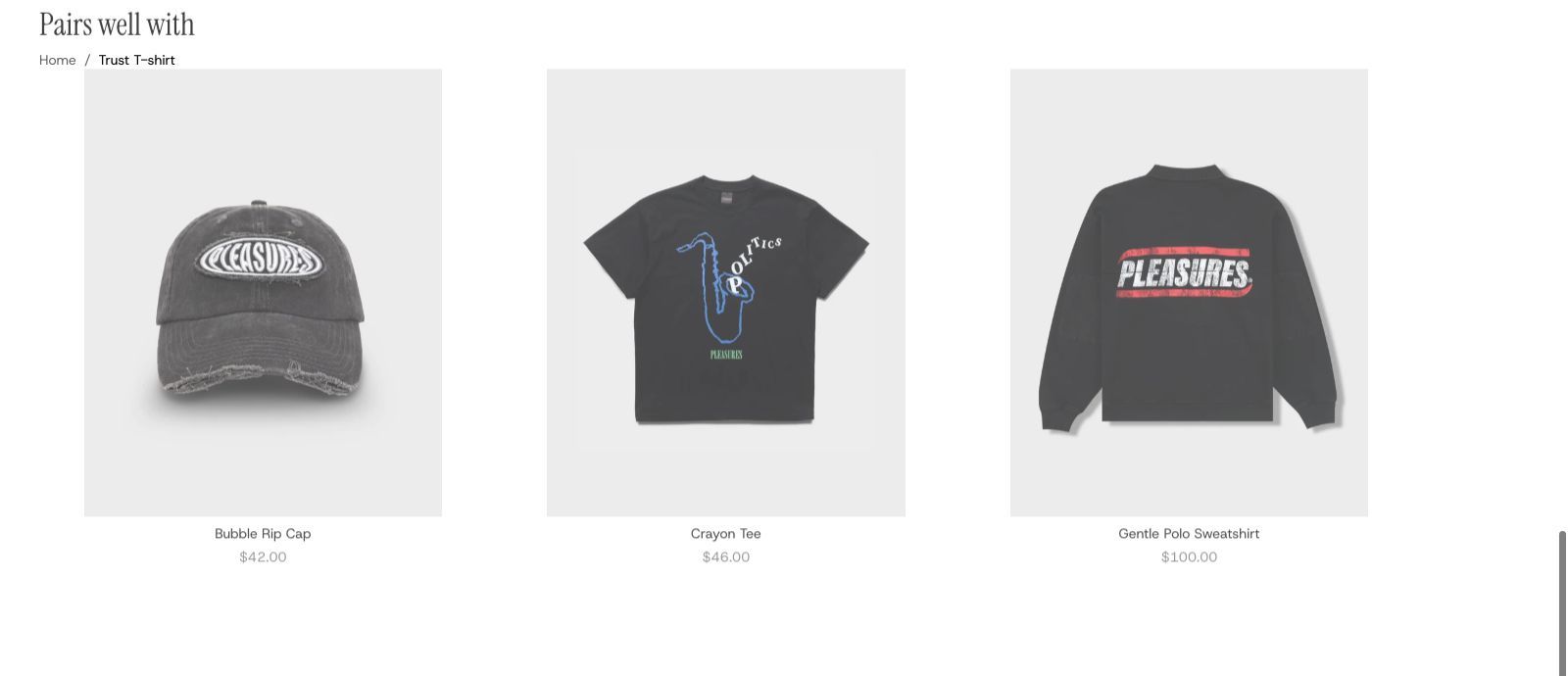
A row of the products you chose as going well with the one on the page, under the heading "Pairs well with".
A row of products that go with the one the shopper is looking at, under the heading "Pairs well with": the belt for the trousers, the case for the phone. You choose them for each product in Shopify's Search & Discovery app. Shoppers scroll the row sideways, and each card opens its product.
It is the same section as Products: Recommended, set to show your own picks instead of Shopify's.
Add it
It only works on product pages. Open a product page in the editor and find Products: Complementary under Product page in "Add section". A product page can hold two of these sections, so it can sit alongside the Recommended row Plain Jane already puts there.
As first added it has the heading "Pairs well with" and room for up to eight cards, four at a time, each with its photo, name and price.
What you need
- The Shopify Search & Discovery app, with complementary products chosen for your products. Until you choose some for a product, nothing shows on that product's page.
Settings
The settings are the same as on Products: Recommended. The one that differs:
| Setting | What it changes | Options |
|---|---|---|
| Products to show | Complementary shows your picks from the Search & Discovery app. Switching it to Related turns the section into a Recommended row. | Related, Complementary. Default here: Complementary. |
The rest, in short: Color scheme, Width (Page width, Full width), Space above and Space below (default Medium; see shared settings), Product (leave empty to use the product on the page), Maximum products (2 to 10, default 8), Cards per row (2 to 6, default 4), Cards per row (mobile) (1 to 3, default 2), Show scroll arrows (on) and Space below heading (Small, Medium, Large; default Medium).
Blocks
- Heading row holds a Heading ("Pairs well with"). Alignment: Left, Center, Right. Space between items: Small, Medium, Large.
- Product card is the look of every card; see Product card. It starts with Product title and Price. Adding Quick add & favorite lets shoppers add the matching piece without leaving the page.
- Product row: Card arrangement (In a line, Alternating, Scattered), Show next card partially and Space between cards.
On phones
Shoppers swipe the row. The arrows are hidden on touch screens.
Tips
- Pick a few things that complete the product. If you pick fewer than Cards per row, lower it: cards keep their width, so a short row leaves empty space on the right.
- Give it a different heading if "Pairs well with" does not fit, such as "Complete the look".
Good to know
- A product with no complementary picks hides the section from shoppers.
- In the editor, a product with no picks shows the heading over an empty row. There are no stand-in products, because these are yours to choose. Open a product you have set picks for to see the row filled.
- Shopify may send fewer products than Maximum products.